 1K
1K
Similar Games

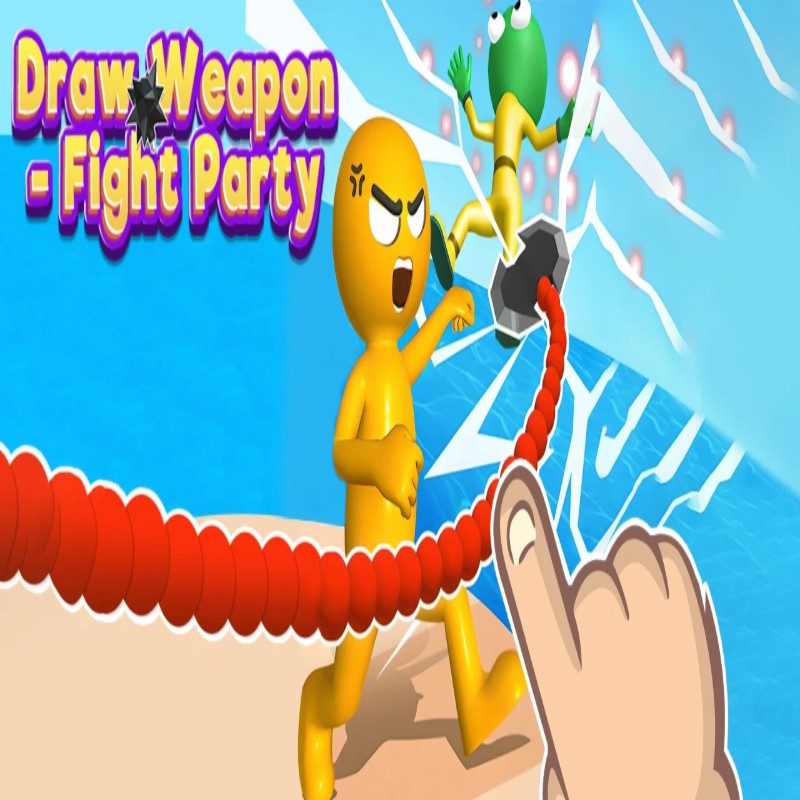
Draw Weapon - Fight Party - Physics-Based Creation & Combat Sandbox
What is Draw Weapon - Fight Party?
Draw Weapon - Fight Party is a creative, physics-driven combat simulation that challenges you to transform your hand-drawn sketches into functional battlefield assets. In this sandbox-style game, the efficacy of your arsenal is determined entirely by the geometry, mass, and structural integrity of what you draw. Whether you are crafting a heavy hammer, a defensive barrier, or a redirection ramp, the "Solid-Ink Physics 2.0" engine ensures that your creations react realistically to gravity, collision, and impact forces. Hosted on the Decent Games portal, the 2026 build emphasizes tactical planning and material efficiency in a fast-paced, unblocked browser environment.
🎮 Gameplay Overview
-
Solid-Ink Physics 2.0: Your ink isn't just aesthetic; it’s a physical entity. The engine calculates the structural load-bearing capacity of your drawings, meaning thin, jagged lines are prone to "snapping" under impact, while thick, closed-loop shapes provide structural rigidity.
-
Creative Combat Logic: The "Fight Party" mechanic allows for non-standard solutions. You aren't restricted to swords; players can draw ramps to deflect enemies, cages to trap opponents, or anchors to fix defensive barriers directly to the map geometry.
-
Balance & Weight Distribution: The physics engine accounts for the center of mass of your weapon. An oversized drawing will tip your character over, rendering your "lethal" tool useless. Successful designs require balancing offensive potential against the stability of your character's stance.
-
Technical Preservation (2026 Build): The 2026 update features "Haptic-Sync Audio," which provides real-time auditory feedback based on the length, curve, and thickness of your line, allowing for a tactile "Scribble ASMR" experience while you engineer your gear.
🕹️ Official Control Guide (The Guardian Artist)
| Action Matrix | Desktop (PC / Keyboard) | Operational Tactical Engineering Focus |
| Sketch Arsenal | Mouse Left Click (Drag) | Plot your weapon/tool geometry within the design box. |
| Commit Drawing | Release Mouse Click | Solidifies your sketch into the physics engine for immediate deployment. |
| Reset / Undo | R Key | Wipe the current sketch to iterate on a new weapon design. |
| Combat Engagement | W - A - S - D / Space | Maneuver your character and swing/activate your weapon. |
| Tactical Menu | Esc Key | Access the "Blueprint" shop to unlock new ink styles or defensive skins. |
💡 Engineering Tactics: Professional Rescue Strategies
Utilize the "Closed-Loop" Meta 📏
Never rely on thin, disconnected lines. The physics engine interprets any "open" sketch as a weak point prone to catastrophic failure upon the first collision. To achieve maximum durability, plan your ink path as a single, continuous closed-loop structure. A triangle or circle is infinitely stronger than a jagged sword shape, as these geometries distribute impact stress across the entire frame rather than concentrating it on a single thin neck of ink.
Master the "Anchor" Technique ⚓
If your creation feels too weak to deflect enemy attacks, look for map geometry that can act as a structural support. Draw a hook or a curved "finger" extending from your weapon that physically catches onto a nearby platform or obstacle. This anchors your creation in place, allowing you to build "static defenses"—weapons that remain suspended in the air, creating a permanent hazard zone that the enemy cannot easily bypass.
Observe the "Balance Rule" ⏱️
A weapon is only as good as the fighter wielding it. If you draw a massive mallet that exceeds your character's weight capacity, your character will physically fall over when you attempt to swing, leaving you wide open to counter-attacks. Always sketch your weapons to be proportional to your character's model. If you need more "hitting power," consider adding mass to the center of the swing-arc rather than simply increasing the size of the head, which prevents the "tipping" effect.
Think Outside the Box (Redirection) 📦
You do not always need to strike the opponent. If the level features falling hazards or hazardous gaps, use your drawing capacity to create a Ramp or Cage. Drawing a curved ramp can launch an enemy into the abyss, while drawing a circular cage can immobilize them. Often, immobilizing an enemy with a cage is more ink-efficient than drawing a sword to fight them, helping you achieve the "Ink Miser" badge by completing levels with minimal structural footprint.
🌍 Unblocked & Device Compatibility
Play Draw Weapon - Fight Party unblocked securely at work or school via verified Decent Games preservation portals. Powered by an optimized WebGL physics pipeline, the game processes complex structural deformation, gravity-based weight distribution, and real-time combat collisions cleanly at a locked, stable 60FPS. The lightweight web wrapper effectively navigates past strict institutional, corporate, and educational network firewalls, serving up frame-perfect puzzle-fighting sessions directly inside modern internet browser tabs across Chromebooks, portable laptops, and desktop computer setups with no standalone client-side installations required.
Regarding your creativity: I find that the "Ink Miser" badge is the ultimate challenge, as it forces you to use the geometry of the map instead of just drawing giant hammers! Do you prefer building high-tech, complex weapons, or do you enjoy finding those "riddle-like" solutions where you don't even need to touch the enemy to win?
![[GAMENAME]](/[BGIMGURL])
 [RATE]